
When people think about VR training, one of the first questions they ask is: Which headset should we buy?
It’s a reasonable question. There are plenty of VR headsets available, ranging from affordable standalone devices to expensive professional systems. But when it comes to first aid training, the most expensive headset isn’t necessarily the best choice.
What matters is how well the headset supports the training itself.
At 4HELPVR, we work with three main headset brands: Meta Quest, PICO and HTC VIVE. One of the main reasons is their support for hand tracking.
And for first aid training, that’s an important distinction.
Why hand tracking matters in first aid training
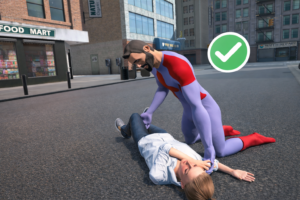
Imagine you’re practising how to respond to someone who has collapsed.
You need to assess the situation, check whether the person is responsive, call for help and begin the appropriate first aid procedures.
Now imagine trying to do all of that while holding two gaming controllers.
That’s not particularly natural, is it?
In real first aid situations, you use your hands. You don’t hold a controller while checking someone’s condition or preparing to help them.
Hand tracking allows VR systems to recognise the position and movement of your hands without requiring traditional handheld controllers.
This means trainees can interact with a virtual environment using their hands rather than learning how to operate a gaming device first.
It doesn’t mean that virtual hand movements perfectly reproduce the physical feeling of performing CPR or handling medical equipment. They don’t. But removing controllers can make the experience more intuitive, especially for people who have never used VR before.
And that’s particularly useful in a first aid classroom, where the goal is to practise responding to emergencies, not to teach people how to play a VR game.
Meta Quest, PICO or HTC VIVE: What’s the difference?
All three brands offer headsets with hand-tracking capabilities, but that doesn’t mean every headset from these manufacturers supports the same features or works with every training application.
Here is how we would approach the decision.
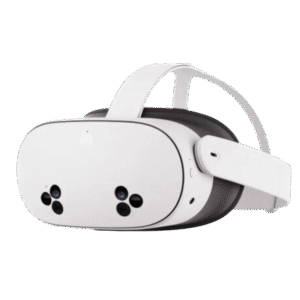
Meta Quest: A practical starting point
For training providers introducing VR into their courses, Meta Quest is a good place to start.
The Quest 3 and Quest 3S are standalone headsets, meaning you don’t need to connect them to a powerful computer to run compatible applications.
Both support hand tracking, allowing users to interact with supported VR applications without holding controllers. The Quest 3 also offers higher display clarity than the Quest 3S, which may be worth considering if you’re planning frequent training sessions. Meta Developers
For a first aid training company that wants to introduce VR without creating a complicated technical setup, that simplicity can be valuable.
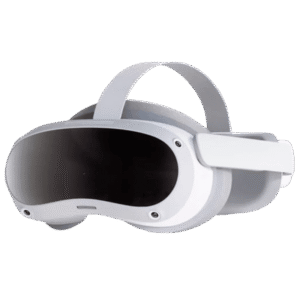
PICO: Worth considering for training organisations
PICO is another option, particularly for organisations using VR in structured training environments.
Models such as the PICO 4 Enterprise support hand tracking and are designed with business applications in mind.
Like Meta Quest, compatible PICO headsets allow users to interact with virtual objects through hand movements. PicoXR Developer
If you’re planning to run regular training sessions with multiple headsets, it’s worth looking beyond the headset itself and considering how easily your team can manage the devices.
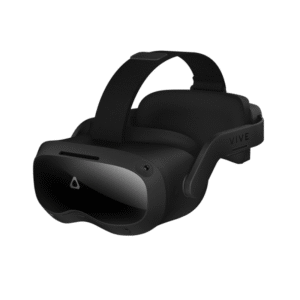
HTC VIVE: Another option for professional training
HTC VIVE also offers headsets suitable for professional VR applications.
Devices such as the VIVE XR Elite and compatible VIVE Focus models offer hand-tracking functionality, allowing trainees to interact with supported applications without traditional controllers. VIVE
HTC is worth considering for organisations that already use VIVE hardware or have established VR training infrastructure.
As with PICO and Meta, the important thing is to check the exact headset model and its compatibility with your training software.
What should you consider before buying?
Let’s say you operate a first aid training company and want to introduce VR into your existing courses.
You might have 15 participants rotating between practical training stations. One group is practising CPR on manikins, another is learning how to use an AED trainer, and another is working through an emergency scenario in VR.
In that situation, you probably don’t need the most expensive headset available.
You need something your instructors can set up quickly, that participants can use comfortably, and that reliably runs your chosen training software.
I’d focus on five practical questions:
- Does it support hand tracking? This is particularly important for controller-free first aid simulations.
- Is it compatible with the training application? Hand tracking alone doesn’t guarantee compatibility.
- Can it operate without a computer? Standalone headsets are often easier to transport between training locations.
- Is it comfortable for different users? In a classroom, multiple participants may share the same headset throughout the day.
- How easy is it to maintain? Consider cleaning, charging, software updates and managing multiple devices.
These are the things that can make the difference between VR becoming a regular part of your training and a headset spending most of its time in a cupboard.
Can VR replace traditional first aid training?
No, and that’s not what we’re trying to achieve.
If you’re teaching CPR, trainees still need to practise chest compressions on a physical manikin. They need to develop the correct technique, understand compression depth and experience the physical demands of performing CPR.
VR cannot fully reproduce those sensations through hand tracking alone.
What VR can do is give trainees an opportunity to practise recognising an emergency, assessing a situation and making decisions in a simulated environment.
That makes it a useful addition to traditional practical training rather than a replacement.
At 4HELPVR, this is why we focus on immersive training experiences that allow participants to use their hands to interact with emergency scenarios.
So, which headset should you choose?
If you’re buying your first headset for first aid training, Meta Quest 3S or Quest 3 would be a sensible starting point.
If you’re already using PICO or HTC VIVE, you may not need to change your equipment at all.
Ultimately, the best headset is the one that works with your training software, fits your budget and makes it easy for your instructors to deliver effective training.
At 4HELPVR, we support compatible headsets from Meta, PICO and HTC VIVE, with hand tracking being one of the key reasons we work with these platforms.
Before purchasing equipment, we recommend checking compatibility with our team so you can select the right headset for your training requirements.
Interested in introducing VR into your first aid courses? Contact 4HELPVR to discuss compatible headsets and arrange a demonstration.